
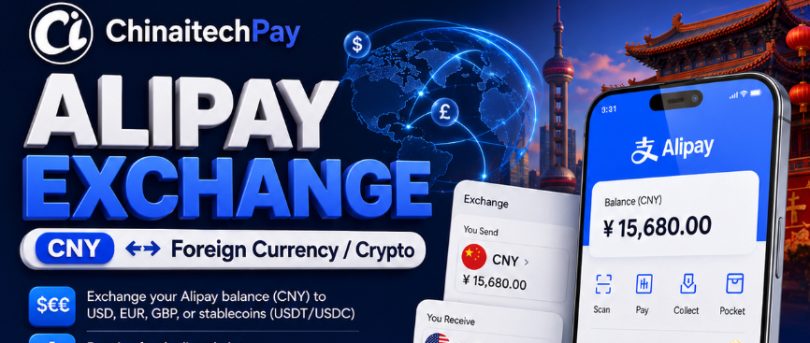
If you have money in Alipay and need to receive funds in PayPal, transferring between the two services directly can be difficult. Alipay and PayPal operate as separate payment platforms, and users may need an exchange service to convert and transfer funds between them.
ChinaitechPay provides a convenient way for customers in China and other supported locations to exchange funds from Alipay to PayPal through an online exchange process.
Whether you are an international student, freelancer, online shopper, business owner, digital entrepreneur, or someone who simply needs to move funds between payment platforms, ChinaitechPay offers a straightforward way to exchange your Alipay balance and receive funds in your PayPal account.
🌐 Visit ChinaitechPay.com to get started.

Can You Transfer Money Directly from Alipay to PayPal?
Alipay and PayPal are two different payment ecosystems.
Alipay is widely used throughout China for online shopping, QR-code payments, transfers, transportation, bills, and many other everyday transactions. PayPal, meanwhile, is widely used internationally for online payments, freelancing, e-commerce, and cross-border transactions.
Because the two platforms do not normally function like linked wallets, moving an Alipay balance directly into a PayPal balance may not be available as a simple built-in transfer.
This is where an exchange service such as ChinaitechPay can help.
Instead of trying to connect the two wallets directly, you can submit an Alipay → PayPal exchange request through ChinaitechPay.
You send the required amount through Alipay according to the payment instructions provided for your transaction. After your payment has been received and verified, the corresponding amount is processed to your PayPal account according to the applicable exchange rate, fees, limits, and transaction conditions.
How to Transfer Alipay to PayPal with ChinaitechPay
The process is designed to be simple. Follow these steps to start your Alipay-to-PayPal exchange.
Step 1: Visit ChinaitechPay
Go to:
Open the exchange section to see the available payment and payout methods.
For your security, always make sure you are using the correct ChinaitechPay website before submitting payment information or making a transfer.
Step 2: Select Alipay as Your Sending Method
From the available exchange options, select:
You Send: Alipay (CNY)
This means that you will fund the transaction using your Alipay account.
Enter the amount of CNY you want to exchange.
The system will calculate the estimated amount you can receive based on the exchange rate available for the transaction.
Always review the displayed rate and amount carefully before proceeding.
Step 3: Select PayPal as Your Receiving Method
For your receiving method, choose:
You Receive: PayPal (USD)
Enter the PayPal account information requested during the exchange process.
It is important to enter your PayPal details correctly. Incorrect information can delay your transaction or cause the payment to be sent to the wrong account.
Double-check your PayPal email address before submitting your exchange.
Step 4: Review the Exchange Details
Before continuing, review your transaction carefully.
Check:
- Your Alipay sending amount
- The currency you are sending
- The estimated PayPal amount you will receive
- Your PayPal email address
- The current exchange rate
- Any applicable fees
- Transaction limits
- Processing information
Exchange rates can change, so the final applicable rate should always be the rate displayed or confirmed for your transaction.
Once everything is correct, continue to create your exchange request.
Step 5: Make the Alipay Payment
After creating your exchange request, ChinaitechPay will provide the payment instructions required to complete your Alipay payment.
Follow the instructions carefully.
Send the exact amount specified in your transaction and use only the payment information provided for that exchange.
Do not send a different amount unless instructed to do so.
Depending on the transaction, you may also be required to provide payment confirmation or other information necessary to verify the transfer.
Keep your Alipay transaction record until your exchange has been completed successfully.
Step 6: Wait for Payment Verification
After making the Alipay payment, your transaction will be checked and verified.
The verification process helps ensure that the correct payment has been received for the correct exchange order.
You should avoid creating multiple transactions for the same payment unless necessary, as duplicate orders can make payment verification more difficult.
Step 7: Receive Money in Your PayPal Account
Once your Alipay payment has been successfully verified and the exchange has been processed, the corresponding payout will be sent to the PayPal account provided in your order.
Check your PayPal account and transaction activity to confirm receipt.
Your exchange is complete once the PayPal payment has been successfully processed according to the transaction status.
Example: Alipay to PayPal Exchange
Suppose you have money available in your Alipay account in China but need USD in PayPal.
You can visit ChinaitechPay and select:
You then enter the amount you want to send.
ChinaitechPay displays the applicable exchange information and estimated amount you will receive.
After reviewing the transaction, you create the exchange request and make the required Alipay payment.
Once your payment is confirmed, your PayPal payout is processed to the account details you provided.
The exact amount received depends on the exchange rate and any applicable fees shown for your transaction.
Who Can Use Alipay to PayPal Exchange?
An Alipay-to-PayPal exchange can be useful for different types of customers.
International Students
Students living or studying in China may use Alipay for their everyday transactions but still need PayPal for international online payments or services.
ChinaitechPay provides an option for exchanging available Alipay funds into PayPal where the service is supported.
Freelancers
Freelancers and remote workers often use several payment platforms.
If you have funds available through Alipay but need to make an international payment through PayPal, exchanging between the two can make managing your online finances easier.
Online Shoppers
Some international websites and merchants accept PayPal while others support different payment methods.
An Alipay-to-PayPal exchange can provide additional payment flexibility when you need to make purchases outside the Alipay ecosystem.
Business Owners
Businesses working with suppliers, freelancers, customers, or online services across different countries may need access to several payment platforms.
ChinaitechPay can help eligible users move funds between supported payment methods.
Travelers and Expats
People living, studying, working, or traveling in China may rely heavily on Alipay while still maintaining financial accounts and payment services outside China.
Having an exchange option between Alipay and PayPal can be useful when managing payments across different markets.
Alipay to PayPal Exchange in China
Alipay is one of the most important digital payment platforms in China.
People use it for everything from restaurants and transportation to online shopping and everyday transfers.
However, international users may sometimes need to move money outside the Alipay ecosystem.
If you need PayPal funds for international transactions, ChinaitechPay provides an exchange option that can bridge supported Alipay and PayPal transactions.
Simply create your exchange request, follow the payment instructions, and provide the correct PayPal receiving information.
Alipay to PayPal for International Users
ChinaitechPay is not designed only for customers physically located in China.
Eligible international users who have access to the supported payment methods may also use the platform, subject to the service’s availability, account requirements, transaction limits, and applicable regulations.
This can be particularly useful for people who regularly deal with Chinese customers, suppliers, marketplaces, or businesses and need to move supported funds into an international payment method.
Always check the currently supported countries, currencies, limits, and payment methods before starting an exchange.
Why Use ChinaitechPay for Alipay to PayPal?
ChinaitechPay is designed to simplify exchanges between different digital payment methods.
Instead of searching for individual buyers or sellers on social media, customers can use a structured exchange process where transaction information is provided before payment.
With ChinaitechPay, customers can benefit from:
Simple Exchange Process
Select what you want to send and receive, enter your details, review the transaction, and follow the provided payment instructions.
Multiple Payment Options
ChinaitechPay supports exchanges across various available digital payment methods and currencies.
Clear Exchange Information
Customers can review the applicable exchange information before completing a transaction.
International Accessibility
The platform is designed for customers who need to exchange supported payment methods across different markets.
Transaction Tracking
Registered users can follow their exchange activity and transaction status through the platform where available.
Important Tips Before Transferring Alipay to PayPal
Always verify your transaction information before sending money.
Make sure the PayPal email address you provide is correct. PayPal accounts can have similar-looking email addresses, and a small typing mistake can cause problems.
You should also confirm the amount you are required to send through Alipay.
Do not rely on an exchange rate from an old transaction because currency and platform rates can change.
Use the rate displayed for your current transaction.
For additional security, keep your payment receipt and transaction reference until the exchange has been completed.
Never share your Alipay or PayPal password, verification code, PIN, or other private login credentials with anyone.
ChinaitechPay should only require information necessary to process and verify the transaction according to its stated procedures.
Frequently Asked Questions
Can I transfer directly from Alipay to PayPal?
Alipay and PayPal generally operate as separate payment ecosystems, so a direct wallet-to-wallet balance transfer may not be available as a standard feature.
ChinaitechPay provides an exchange process that allows supported users to send funds using Alipay and receive the corresponding payout through PayPal.
How do I exchange Alipay CNY to PayPal USD?
Visit ChinaitechPay.com, select Alipay CNY as your sending method and PayPal USD as your receiving method.
Enter the amount, provide the requested receiving details, create your exchange request, and follow the Alipay payment instructions.
After the payment is verified, the PayPal payout can be processed according to the transaction terms.
Can I use ChinaitechPay while living in China?
Where the relevant services and transaction are supported, customers in China can use ChinaitechPay to submit an Alipay-to-PayPal exchange request.
Availability can depend on payment method, currency, transaction requirements, and applicable regulations.
Can foreigners in China use the service?
Eligible international customers with access to supported Alipay and PayPal services may be able to use the exchange service.
Customers should check current eligibility and transaction requirements before making a payment.
What currency can I send from Alipay?
Alipay transactions in China commonly use Chinese yuan (CNY/RMB).
Available currencies and exchange pairs should always be confirmed on ChinaitechPay before creating your transaction.
What currency will I receive in PayPal?
The receiving currency depends on the exchange option you select and the PayPal service available for your transaction.
Review the receiving currency displayed on your exchange order before making your Alipay payment.
How long does an Alipay to PayPal transfer take?
Processing time can vary depending on payment verification, transaction volume, receiving account conditions, and other operational factors.
Always check the processing information displayed for your specific exchange rather than assuming a guaranteed completion time.
Is there a minimum or maximum exchange amount?
Transaction limits may apply and can vary depending on the payment method and exchange pair.
Check the current minimum and maximum amounts displayed on ChinaitechPay before creating your exchange.
Do I need a ChinaitechPay account?
If registration or account verification is required for your selected transaction, follow the instructions provided on the platform.
Creating an account may also make it easier to review and track your exchange activity.
What happens if I enter the wrong PayPal email?
Incorrect receiving information can cause delays or other transaction problems.
Always check your PayPal email carefully before confirming an exchange. If you discover an error after submitting an order, contact ChinaitechPay support as soon as possible and avoid making additional payments until you receive instructions.
Exchange More Than Alipay to PayPal
ChinaitechPay is designed to support more than one type of digital payment exchange.
Depending on current availability, customers can check the platform for supported exchange options involving payment methods such as digital currencies, bank transfers, electronic wallets, and other supported financial services.
This makes it possible to manage different payment needs through one exchange platform instead of relying on separate informal exchange arrangements.
Available exchange pairs, countries, currencies, rates, limits, and processing times can change, so always check the website for the latest information.
Start Your Alipay to PayPal Exchange Today
If you have funds in Alipay and need to receive money through PayPal, ChinaitechPay provides a convenient exchange process for supported transactions in China and internationally.
The process is straightforward:
Choose Alipay → Select PayPal → Enter Your Amount → Provide Your PayPal Details → Make Your Alipay Payment → Receive Your PayPal Payout
Ready to exchange?
🌐 Visit ChinaitechPay.com
Start your Alipay to PayPal exchange and choose the amount you want to transfer.
ChinaitechPay — Making digital payment exchanges simpler across borders.